
Solid Connect installs Ubiquiti UniFi WiFi for Khalifa City villas using the Ethernet cables already in the walls where they pass the tests required for the job. We trace outlets back to the network cabinet, check link performance and confirm that the switch can power the selected access points. This lets us plan coverage for the rooms you use every day and identify which locations need additional work before installation.
Request a villa UniFi quote
Send your Khalifa City location, number of floors, priority rooms and a photo of the network cabinet if available.
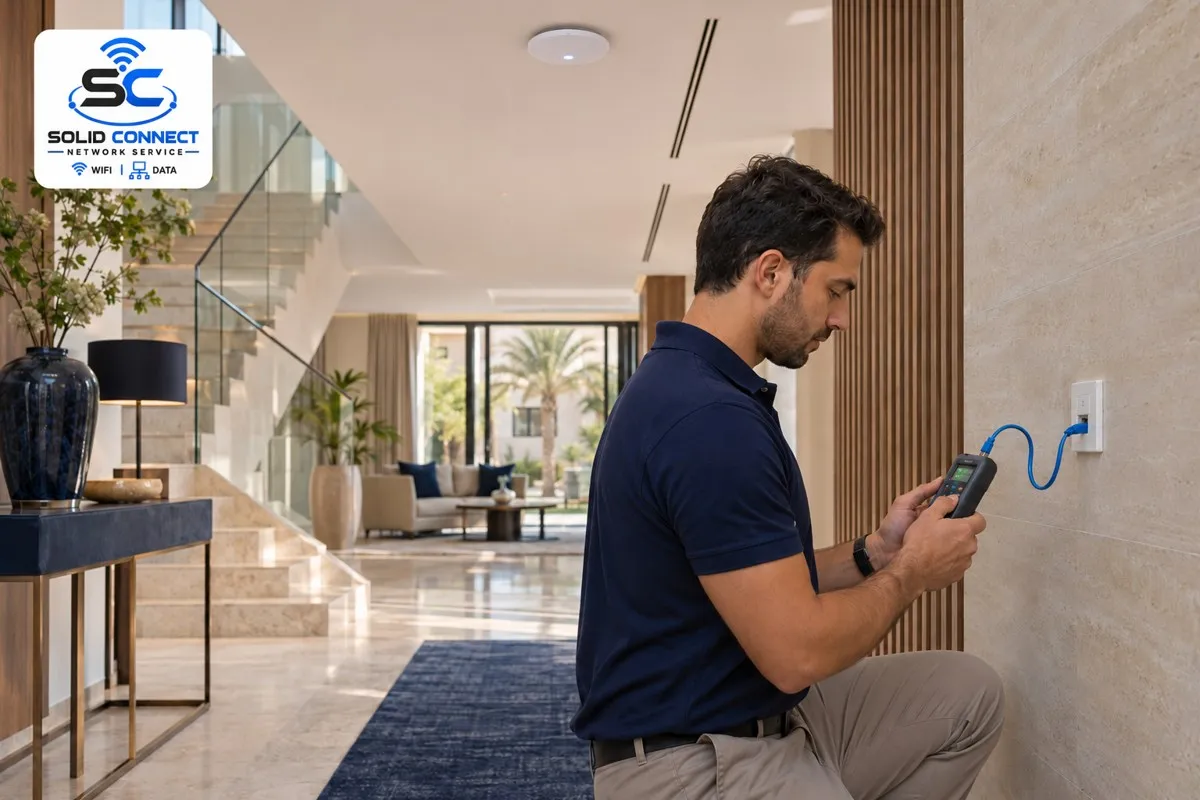
A common starting point is a fibre router beside a network cabinet and wall sockets on both floors. The presence of a socket alone tells us little about its route or condition. We check whether the cable ends at the cabinet, whether the outlet and panel are correctly terminated, and whether the link negotiates the expected speed. A poorly terminated outlet can sometimes be repaired at the ends. A damaged run may need a different route or a revised access point location.
Next we match working outlets to the villa’s layout. In a two-storey home, a downstairs living room, upstairs landing and home office often have different coverage needs. The best position depends on the walls, floor materials and available mounting points. If the only useful outlet is low on a wall, we can assess a compatible wall-mounted access point or a discreet route to a better mounting position. We also check where phones, work laptops and TVs will actually be used.
Power over Ethernet can carry power and network traffic on the same compatible cable. We verify both the power standard required by each selected access point and the switch’s total available power across all connected devices. Where the existing switch is suitable, it may stay in service. Where it isn’t, the proposal can specify a compatible PoE switch or injector for the agreed installation. We also discuss guest access or a separate network for compatible smart-home devices if you need one.
At handover, we check the agreed rooms and review how to manage the network. If you want coverage in a garden or detached majlis, include it in your enquiry so we can assess the connection before quoting.
What we check before reusing Ethernet
- Outlets and patch panel. Identify the cable at both ends and test the links intended for access points.
- Link speed and PoE. Check negotiated speed, power standards and available switch power.
- Coverage and mounting. Choose candidate access point locations for the rooms you use.
- Faulty links. Identify where re-termination, repair or a new cable may be needed.
How we install your villa network
- Trace and test the Ethernet outlets we intend to use.
- Confirm device models, mounting locations and quote scope.
- Install the access points and configure the agreed networks.
- Test the priority rooms, label the ports and hand over the configuration.
Where wired UniFi can help
- Upstairs bedrooms and home offices. A wired access point can serve areas that are hard to reach from a ground-floor router.
- Living rooms and majlis areas. We check mounting position and wall materials before planning coverage.
- Gardens and detached buildings. We assess the route and choose suitable equipment for the location.
Khalifa City and nearby service areas
Khalifa City, Al Raha Gardens, Al Raha Beach, Al Reef, Mohammed Bin Zayed City, Shakhbout City and Al Shamkha. Tell us your community and villa layout when you enquire.
UniFi and existing network equipment
We work with Ubiquiti UniFi access points and compatible switches or injectors. We also assess existing routers and switches from brands such as TP-Link, MikroTik, Cisco, Aruba and ASUS before recommending replacements.
After-sales support
Depending on the job scope, we can help with remote diagnostics, on-site checks, WiFi optimisation, configuration backups and manufacturer warranty enquiries.
Solid Connect customer reviews
Mrijul Murali
Office network troubleshooting
“now the whole systems are working properly.”
Recurring office WiFi and network problems were resolved during the visit.
Kevin
Internet setup support
“Anoop has sorted out my internet setup twice now”
Kevin described the help he received on two separate occasions.
Martin Kavlakov
Home installation
“Highly recommended specialists!”
Martin said the team visited his home, discussed his needs and completed the installation efficiently.
Gavin K
Villa security camera installation
“We were very pleased with the work”
Gavin appreciated the advice on where to place the cameras at his villa.
Frequently asked questions
Can I reuse Ethernet already in my Khalifa City villa?
Often, yes. We confirm where each cable ends and test the links that will connect the new access points. The results determine what can be reused.
Do I need to replace my fibre router?
Not necessarily. Wired access points can often work with an existing router and suitable switching. Router changes depend on your provider setup and network requirements.
Can older network cabling power a UniFi access point?
Possibly. We check the cable run, terminations, and selected access point’s PoE and link requirements before deciding.
Can you connect UniFi to an existing wall socket?
Yes, if the socket connects to a working Ethernet run and suits the access point and planned mounting location.
Will I need a new PoE switch?
Only if the existing setup cannot meet the device requirements or total power budget. A compatible injector can also be an option for an individual access point.
Can you extend WiFi to an outdoor majlis?
We assess the building-to-building connection, cable route and equipment location before proposing outdoor coverage.
What should I send before requesting a quote?
Share the area, number of floors, rooms with weak WiFi, and photos of the router, cabinet and available Ethernet outlets if you have them.
Helpful resources and Solid Connect service directory
Helpful resources and guides
Tell us which rooms need better WiFi
A photo of the cabinet and a wall outlet helps us prepare for the visit. Mention any existing UniFi equipment or areas where WiFi drops.
Popular searches
- UniFi villa WiFi installation Khalifa City
- Villa Ethernet outlet testing
- Wired access point installation Abu Dhabi
- Upstairs villa WiFi coverage