
Serving All Major Abu Dhabi Areas

Al Reem Island • Khalifa City • Yas Island • MBZ City • Saadiyat • Al Raha • Al Mushrif • Al Bateen • Al Danah • Corniche

Dubai • Sharjah • Ajman

Serving All Major Abu Dhabi Areas

Al Reem Island • Khalifa City • Yas Island • MBZ City • Saadiyat • Al Raha • Al Mushrif • Al Bateen • Al Danah • Corniche

Dubai • Sharjah • Ajman

Serving All Major Abu Dhabi Areas

Al Reem Island • Khalifa City • Yas Island • MBZ City • Saadiyat • Al Raha • Al Mushrif • Al Bateen • Al Danah • Corniche

Dubai • Sharjah • Ajman

Serving All Major Abu Dhabi Areas

Al Reem Island • Khalifa City • Yas Island • MBZ City • Saadiyat • Al Raha • Al Mushrif • Al Bateen • Al Danah • Corniche

Dubai • Sharjah • Ajman

Serving All Major Abu Dhabi Areas

Al Reem Island • Khalifa City • Yas Island • MBZ City • Saadiyat • Al Raha • Al Mushrif • Al Bateen • Al Danah • Corniche

Dubai • Sharjah • Ajman

Serving All Major Abu Dhabi Areas

Al Reem Island • Khalifa City • Yas Island • MBZ City • Saadiyat • Al Raha • Al Mushrif • Al Bateen • Al Danah • Corniche

Dubai • Sharjah • Ajman

Serving All Major Abu Dhabi Areas

Al Reem Island • Khalifa City • Yas Island • MBZ City • Saadiyat • Al Raha • Al Mushrif • Al Bateen • Al Danah • Corniche

Dubai • Sharjah • Ajman

Serving All Major Abu Dhabi Areas

Al Reem Island • Khalifa City • Yas Island • MBZ City • Saadiyat • Al Raha • Al Mushrif • Al Bateen • Al Danah • Corniche

Dubai • Sharjah • Ajman

Serving All Major Abu Dhabi Areas

Al Reem Island • Khalifa City • Yas Island • MBZ City • Saadiyat • Al Raha • Al Mushrif • Al Bateen • Al Danah • Corniche

Dubai • Sharjah • Ajman

Serving All Major Abu Dhabi Areas

Al Reem Island • Khalifa City • Yas Island • MBZ City • Saadiyat • Al Raha • Al Mushrif • Al Bateen • Al Danah • Corniche

Dubai • Sharjah • Ajman

Serving All Major Abu Dhabi Areas

Al Reem Island • Khalifa City • Yas Island • MBZ City • Saadiyat • Al Raha • Al Mushrif • Al Bateen • Al Danah • Corniche

Dubai • Sharjah • Ajman

Serving All Major Abu Dhabi Areas

Al Reem Island • Khalifa City • Yas Island • MBZ City • Saadiyat • Al Raha • Al Mushrif • Al Bateen • Al Danah • Corniche

Dubai • Sharjah • Ajman

Serving All Major Abu Dhabi Areas

Al Reem Island • Khalifa City • Yas Island • MBZ City • Saadiyat • Al Raha • Al Mushrif • Al Bateen • Al Danah • Corniche

Dubai • Sharjah • Ajman

Serving All Major Abu Dhabi Areas

Al Reem Island • Khalifa City • Yas Island • MBZ City • Saadiyat • Al Raha • Al Mushrif • Al Bateen • Al Danah • Corniche

Dubai • Sharjah • Ajman

Serving All Major Abu Dhabi Areas

Al Reem Island • Khalifa City • Yas Island • MBZ City • Saadiyat • Al Raha • Al Mushrif • Al Bateen • Al Danah • Corniche

Dubai • Sharjah • Ajman

Serving All Major Abu Dhabi Areas

Al Reem Island • Khalifa City • Yas Island • MBZ City • Saadiyat • Al Raha • Al Mushrif • Al Bateen • Al Danah • Corniche

Dubai • Sharjah • Ajman

Serving All Major Abu Dhabi Areas

Al Reem Island • Khalifa City • Yas Island • MBZ City • Saadiyat • Al Raha • Al Mushrif • Al Bateen • Al Danah • Corniche

Dubai • Sharjah • Ajman

Serving All Major Abu Dhabi Areas

Al Reem Island • Khalifa City • Yas Island • MBZ City • Saadiyat • Al Raha • Al Mushrif • Al Bateen • Al Danah • Corniche

Dubai • Sharjah • Ajman

Serving All Major Abu Dhabi Areas

Al Reem Island • Khalifa City • Yas Island • MBZ City • Saadiyat • Al Raha • Al Mushrif • Al Bateen • Al Danah • Corniche

Dubai • Sharjah • Ajman

Serving All Major Abu Dhabi Areas

Al Reem Island • Khalifa City • Yas Island • MBZ City • Saadiyat • Al Raha • Al Mushrif • Al Bateen • Al Danah • Corniche

Dubai • Sharjah • Ajman

Villa WiFi Installation in Khalifa City

Villa WiFi Installation in Khalifa City

WiFi for Multi-Storey Homes in Abu Dhabi

Weak WiFi upstairs or a poor signal in the majlis? Solid Connect checks coverage floor by floor and installs wired access points or mesh WiFi based on your villa layout, existing cabling and the rooms you use most.

For a quote, share the number of floors and the rooms where WiFi slows down or drops out.
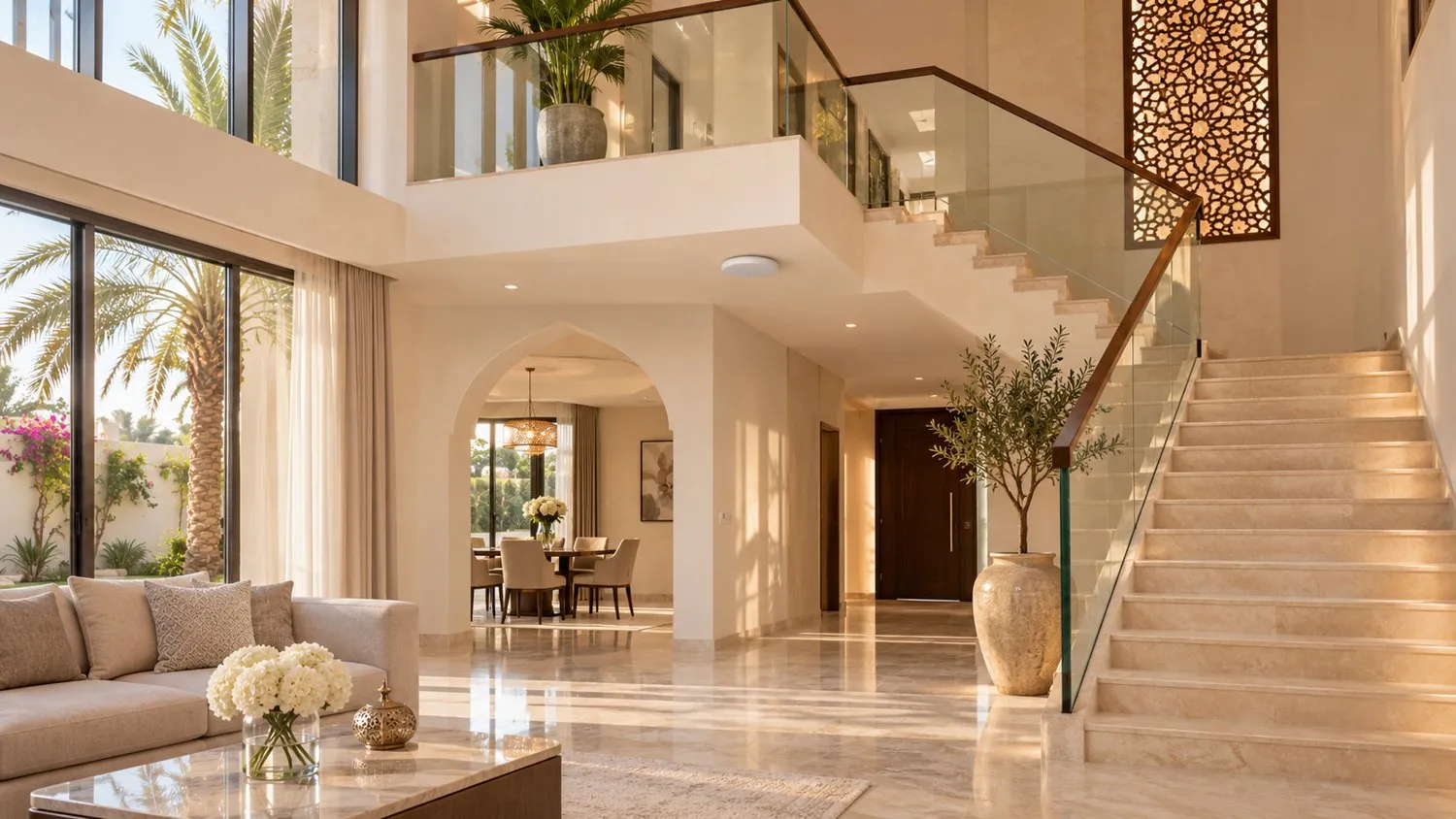
Two-storey villa interior with a staircase and a ceiling-mounted WiFi access point

WiFi coverage for every floor you use

Start with the places that give you trouble, such as an upstairs bedroom, your home office or a detached majlis. We check where the signal drops, test usable Ethernet points and plan where access points or mesh units should go. For a garden or patio, we assess outdoor equipment and cabling options separately during the same visit.

How villa WiFi installation works

  1. Check coverage. Test the current connection in your priority rooms and across floors.
  2. Plan the setup. Check usable network points and discuss equipment, cable routes and placement.
  3. Install and configure. Set up the agreed WiFi equipment, cabling and network settings.
  4. Test before handover. Recheck signal and connectivity in the agreed areas and show you how to join the network.

Villa WiFi questions and resources

Select a section to expand it.

Frequently Asked Questions

Why does my WiFi work downstairs but drop upstairs?

Concrete floors, walls and the position of your router can weaken the signal. A floor-by-floor check helps identify where a wired access point or well-placed mesh unit could improve coverage.

Should I choose mesh WiFi or wired access points?

Wired access points are often a good choice when Ethernet is available or can be installed. Wireless mesh can work well where cabling is difficult and the units can maintain a strong connection to each other.

Can I keep my existing internet provider router?

Often, yes. We check your router, internet connection and existing equipment before recommending how to connect the new WiFi system.

Can you extend coverage to a detached majlis or garden?

We assess the distance, walls, cable routes and outdoor equipment requirements before recommending a setup for the areas you want covered.

What affects the cost of villa WiFi installation?

The quote depends on the number of floors, problem areas, equipment needed and whether existing cables can be reused. Share your villa layout and current WiFi issues to help us scope the work.

Brands
  • Ubiquiti UniFi for wired access points and centrally managed WiFi.
  • TP-Link Deco for mesh WiFi, with Ethernet links between compatible units where cabling is available.
Services
  • Villa WiFi installation and new network setup
  • Weak-signal troubleshooting and WiFi repair
  • Wired access point and mesh WiFi installation
  • Ethernet cabling and existing network point checks
  • Coverage planning for a majlis, garden or home office

Explore Solid Connect services

Customer Reviews

On our UniFi service page, Kevin describes getting help with his internet setup on two occasions. Read customer reviews on our UniFi page.

Top Searches
  • Villa WiFi installation in Khalifa City
  • How to fix weak WiFi upstairs
  • Mesh WiFi setup for a two-storey villa
  • UniFi access point installation in Khalifa City
  • WiFi coverage for a detached majlis
Helpful Resources & Guides

Request a Villa WiFi Assessment

Tell us your Khalifa City location, number of floors and problem rooms. If you have a floor plan or know where your Ethernet points are, include those details so we can discuss the setup and prepare a quote.